

Online Ordering for Restaurants: 10 Ways to Increase Direct Orders
Running a restaurant today involves much more than preparing great food. Restaurant owners also need to attract new customers, manage delivery orders, maintain customer relationships, and encourage people to order again.Many restaurants receive orders through third-party food delivery platforms. While these platforms can help businesses reach new customers, restaurant owners may want to develop their own ordering channels to build stronger customer relationships and manage their online sales more directly.
This is where online ordering for restaurants becomes important.With the right restaurant online ordering system, businesses can accept orders through their own website, mobile app, QR codes, and other digital channels while keeping their menu, customer information, and order management connected.In this guide, we will explore 10 practical ways restaurants can increase direct orders, improve the customer ordering experience, and build a more sustainable online ordering business.
What Is Online Ordering for Restaurants?
Online ordering for restaurants is a digital process that allows customers to browse a restaurant's menu, select food items, customize their orders, and place orders through the internet.Depending on the restaurant's setup, customers can order for home delivery, takeaway, or dine-in service.
A restaurant ordering system can include several connected tools:
A branded restaurant website with an online menu and checkout.
A mobile application for customers.
QR code ordering for dine-in customers.
Online payment and cash-on-delivery options.
Order management, kitchen notifications, and delivery coordination.
Customer communication and marketing tools.For restaurant owners, the purpose is not simply to accept orders online.
It is to create a convenient ordering experience that encourages customers to order directly and return in the future.
Why Should Restaurants Focus on Direct Online Orders?
Direct ordering gives restaurants an additional sales channel that they can manage alongside dine-in, takeaway, and marketplace orders.For example, a customer who discovers a restaurant through Google can visit its website, view the menu, and place an order without necessarily going through a third-party marketplace.The restaurant can also use its own customer communication channels, subject to applicable consent and privacy requirements, to share menu updates, promotions, and loyalty benefits.
The potential benefits include:
Greater control over the online ordering experience and branding.
More opportunities to build repeat customer relationships.
Flexibility to design promotions and loyalty programs.
Better visibility into orders and customer purchasing patterns.
Reduced reliance on a single source of online sales.
Actual savings and profitability depend on payment processing charges, delivery costs, marketing expenses, software fees, and the restaurant's pricing.
10 Ways to Increase Direct Orders with Online Ordering for Restaurants
1. Build a Branded Restaurant Website with an Online Ordering System
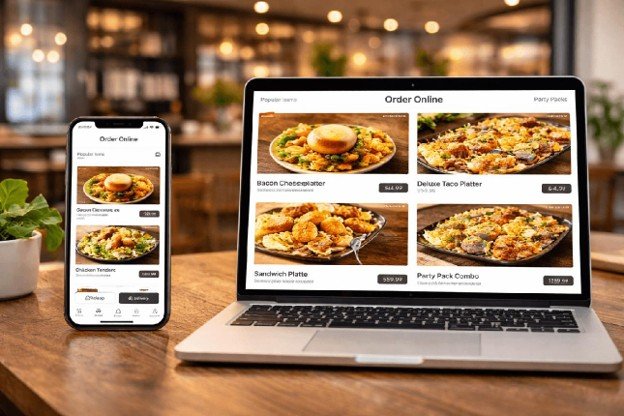
A restaurant website is one of the most important foundations of a direct online ordering strategy.When customers search for a restaurant online, they want to find its menu, prices, location, opening hours, and ordering options quickly.A website that only displays contact details may miss the opportunity to convert visitors into paying customers.A restaurant website with an integrated online food ordering system allows customers to browse the menu, add items to their cart, select delivery or pickup, and complete their order.
What should a restaurant ordering website include?
A mobile-friendly design that works across smartphones, tablets, and desktops.
High-quality food images, descriptions, and clear menu prices.
Customizations such as size, toppings, add-ons, and special instructions.
Delivery and pickup options with clear charges and estimated times.
Secure checkout and suitable payment options.A simple order confirmation and tracking experience.
For example, a pizza restaurant can create separate menu categories for pizzas, sides, beverages, and meal combos. Customers can customize their pizzas and place orders directly through the restaurant's website.This gives the business a branded ordering experience instead of relying entirely on an external marketplace.How to implement it: Choose a restaurant online ordering system that lets you manage menus, prices, orders, and customer-facing pages from one dashboard. Add the ordering link to your social profiles, Google Business Profile, receipts, and promotional materials.A platform such as NexOrdr can be used to establish a branded online ordering presence for restaurants, depending on the package and configuration.
2. Launch a Mobile App for Your Restaurant
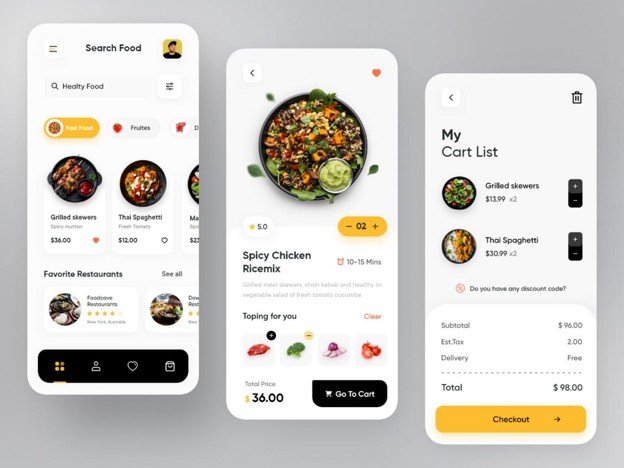
Many customers use their smartphones to discover restaurants, browse menus, and order food.A dedicated restaurant mobile app can make the process more convenient for regular customers by providing a familiar place to browse the menu and reorder their favorite meals.However, a mobile app is not necessary for every restaurant from day one. A mobile-friendly website or progressive web app may be a practical starting point for businesses with a limited customer base.
Customer registration and saved delivery addresses.
Quick reordering of previous purchases.
Favorites and personalized menu recommendations.
Order status notifications.
Loyalty points and promotional offers.
Online payment and order history.
For instance, a customer who orders lunch from the same restaurant every weekday could use the app to reorder a previous meal instead of entering the same information repeatedly.Convenience can reduce friction and encourage repeat purchases.How to implement it: Start with a smooth mobile ordering website. Once you have regular customers and sufficient demand, consider launching a branded Android and iOS app with ordering, loyalty, and notification features.
3. Use QR Codes to Make Ordering Easier
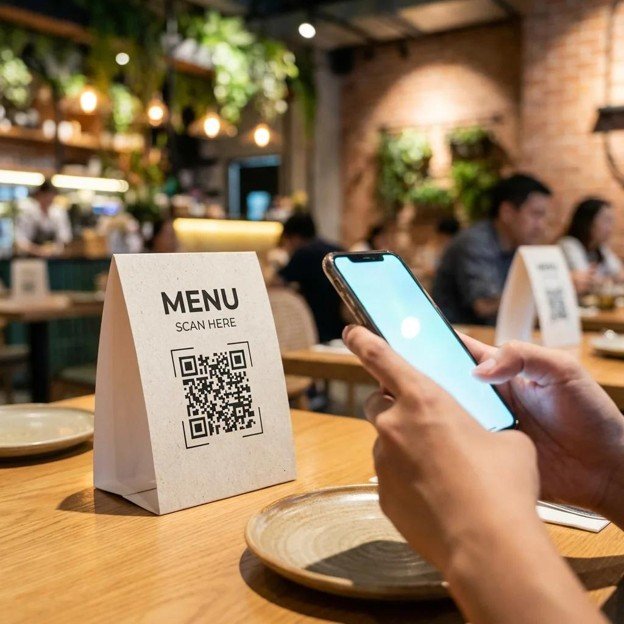
QR code ordering helps customers access a restaurant's digital menu by scanning a code with their smartphone.It can be particularly useful for restaurants, cafes, food courts, and quick-service businesses that want to simplify the ordering process.Instead of waiting for a printed menu or staff member, customers can scan a QR code, view available items, and place an order from their device.
Where should restaurants place QR codes?
On restaurant tables for dine-in ordering.
At the counter for takeaway customers.
On food packaging and delivery bags.
On printed flyers and promotional materials.
On receipts and customer loyalty cards.
For dine-in restaurants, table-specific QR codes can also help associate orders with the correct table, provided the ordering system supports table mapping.For example, a cafe can place a QR code on every table. Customers scan it, view the menu, and order coffee, snacks, or desserts without leaving their seats.How to implement it: Generate QR codes that link directly to your digital menu or ordering page. Make sure the menu loads quickly on mobile devices and clearly displays prices, availability, and ordering instructions.
4. Optimize Your Google Business Profile
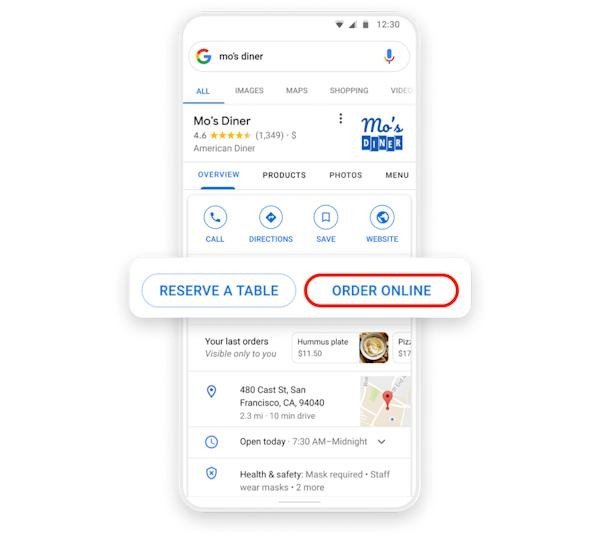
Google Business Profile helps restaurants appear in Google Search and Google Maps when people look for nearby food options.A customer searching for a restaurant, cafe, or takeaway service may discover a business through its local listing before visiting the restaurant's website.A complete and accurate profile can make it easier for potential customers to find the restaurant and access its online ordering channel.
Google Business Profile optimization checklist
Maintain accurate business name, address, phone number, and opening hours.
Select relevant business categories.
Upload real photos of food, the restaurant, and its menu.
Keep menu details and business information up to date.
Respond professionally to customer reviews.
Add the restaurant's website and available ordering links.
Use suitable ordering or menu links where supported by Google's current profile features.
For example, a customer searching for "pizza near me" may find a restaurant's Google listing, check its reviews, and visit the restaurant's website to place an order.Restaurants should ensure that their ordering links direct customers to a working menu and checkout rather than a generic homepage.How to implement it: Claim and verify the restaurant's Google Business Profile, complete all relevant fields, and regularly update photos, menus, hours, and links. Ask genuine customers for reviews without offering incentives in exchange for positive ratings.
5. Promote Direct Orders on Social Media
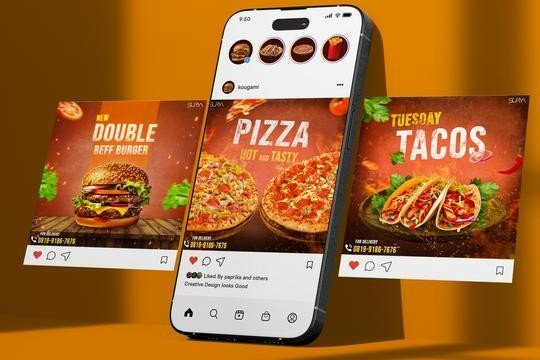
Social media platforms give restaurants an opportunity to showcase their food, communicate with customers, and promote their own ordering channels.A restaurant does not need a large follower count to begin using social media for direct orders. Consistent, useful content and a clear ordering link can help turn interested viewers into customers.
Social media content ideas for restaurants
Content type
Food preparation videos
Menu highlights
Customer testimonials
Limited-time promotions
Behind-the-scenes content
Ordering tutorials
Purpose
Show food quality and preparation
Introduce popular dishes
Share genuine customer experiences
Encourage customers to explore an offer
Build familiarity with the restaurant
Show customers how to order directly
For example, a burger restaurant could publish a short video showing how its signature burger is prepared, followed by a call to action inviting customers to order through its website.Restaurants can also use Instagram Stories, Facebook posts, reels, and paid advertisements to promote specific menu items.How to implement it: Add the direct ordering link to social profiles, use clear calls to action, and track clicks and completed orders to identify which campaigns generate actual sales.
6. Accept Orders Through WhatsApp
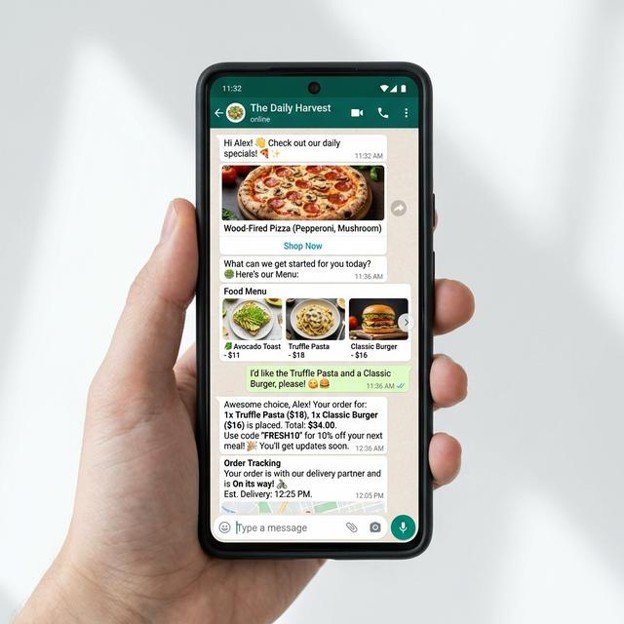
WhatsApp can be a convenient ordering and communication channel for restaurants, especially where customers already use it regularly.Restaurants can use WhatsApp Business to respond to customer questions, share menu information, confirm orders, and communicate delivery updates.With suitable integrations, restaurants can also connect WhatsApp conversations to an online food ordering system.
How restaurants can use WhatsApp for direct orders
Share a menu or direct ordering link with customers.
Answer questions about food items, delivery, and opening hours.
Send order confirmations and status updates.
Provide customer support for existing orders.
Share promotional messages with customers who have opted in.
Use approved WhatsApp Business Platform integrations for automated ordering workflows.
For example, a customer could message a restaurant to ask about vegetarian meals. The restaurant can share its menu or an ordering link, allowing the customer to select items and complete the order.More advanced integrations may support conversational ordering and automated responses, depending on the WhatsApp API setup and platform capabilities.How to implement it: Set up a WhatsApp Business profile, connect it to your restaurant's ordering workflow where appropriate, and create clear procedures for handling customer messages, order confirmations, and support.Avoid unsolicited bulk messaging. Follow WhatsApp's applicable opt-in, template, and messaging policies.
7. Build Customer Loyalty and Encourage Repeat Orders
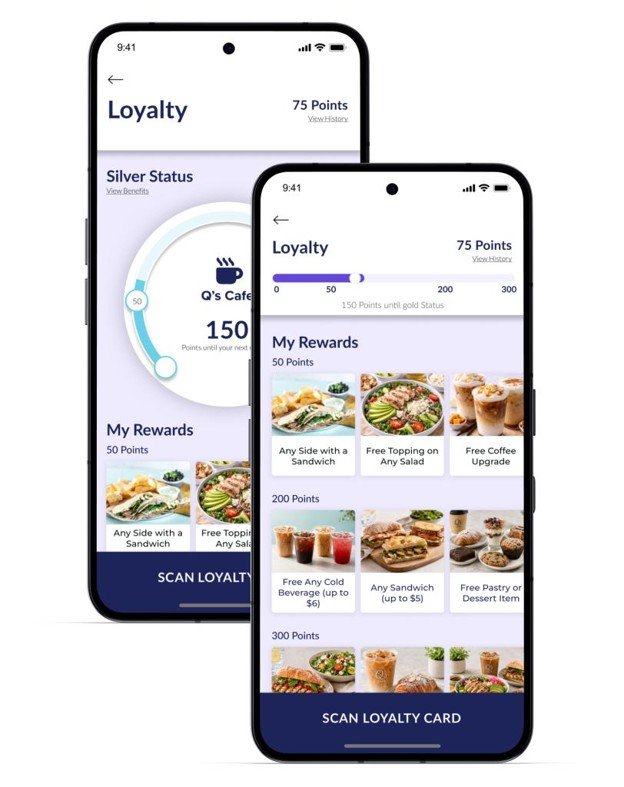
Getting a first order is only one part of restaurant growth. Encouraging satisfied customers to return can help build more consistent sales over time.A loyalty program gives customers a reason to continue ordering from a restaurant.Instead of offering the same discount to everyone, restaurants can design rewards that recognize repeat purchases and encourage customers to explore more of the menu.
Loyalty program ideas
Points for eligible purchases.
Rewards after a specified number of orders.
Birthday offers and customer appreciation rewards.
Referral benefits for introducing new customers.
Exclusive menu items or benefits for loyalty members.
For example, a restaurant could offer a reward after a customer completes five qualifying direct orders. The reward might be a complimentary side dish or a discount on a future purchase.The exact reward should reflect the restaurant's food costs, average order value, and profit margin.How to implement it: Choose a restaurant ordering system with customer accounts and loyalty functionality. Set clear reward rules, communicate them at checkout, and monitor repeat order rates and redemption costs.
8. Use Email Marketing to Bring Customers Back
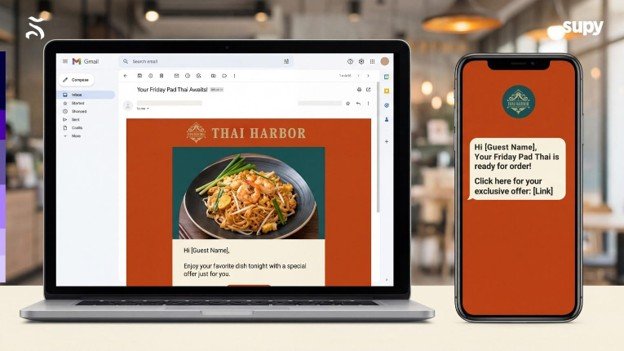
Email marketing allows restaurants to maintain communication with customers who have agreed to receive marketing messages.It can be useful for announcing new dishes, seasonal menus, special events, and relevant promotions.Unlike relying exclusively on social media algorithms, a restaurant can send messages directly to its opted-in email audience.
Restaurant email campaign ideas
Campaign
Welcome email
New menu announcement
Seasonal campaign
Re-engagement
Loyalty update
Example
Introduce the restaurant and its menu
Promote newly launched dishes
Share festival or holiday menu
sInvite inactive customers to explore the menu
Inform customers about available rewards
For example, a restaurant could send a monthly email featuring new menu items, popular dishes, and a link to its direct ordering website.Personalized emails can be more relevant when based on customer preferences and purchase history, where permitted.How to implement it: Collect email addresses through transparent opt-in forms, use a suitable email marketing platform, segment customers where practical, and measure clicks, orders, unsubscribes, and revenue.
9. Create Offers That Encourage Direct Ordering
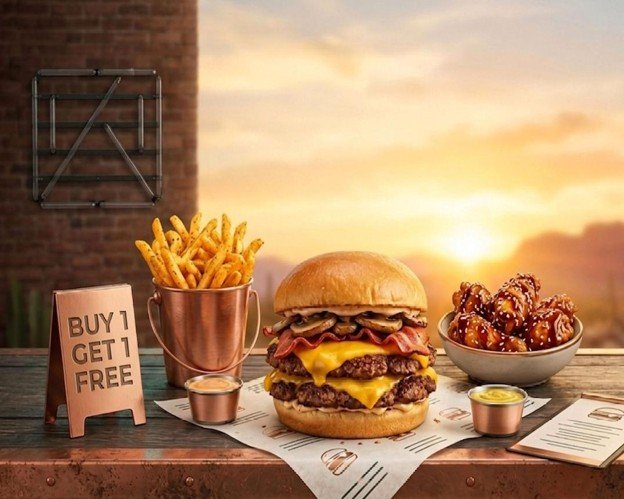
Promotional offers can encourage customers to try a restaurant's online ordering channel or place an additional order.However, discounts should be designed carefully. Offering large discounts on every order may increase sales volume without generating enough profit to cover food, delivery, payment, and marketing costs.The goal is to create offers that provide customer value while maintaining sustainable margins.
Offers restaurants can test
First direct-order discount for eligible new customers.
Family meal bundles and group combos.
Free delivery above a minimum order value.
Weekday lunch specials.
Rewards for qualifying repeat purchases.
Limited-time offers on selected menu items.
For example, a restaurant could offer a family combo at a bundled price that is attractive to customers while preserving an acceptable contribution margin.Restaurants should calculate the cost of the offer before launching it and track whether it generates incremental orders.How to implement it: Create campaign-specific coupon codes, define eligibility and expiry dates, and monitor redemption rates, average order value, and profit after discounts.
10. Use Retargeting to Convert Interested Customers
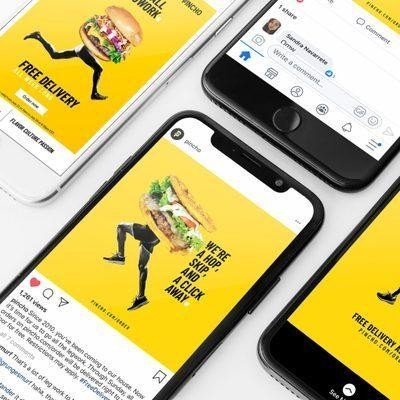
Not every customer who visits a restaurant's website will place an order immediately.Some visitors may browse the menu, compare prices, add items to their cart, or leave the website before checkout.Retargeting allows restaurants to show relevant advertising to eligible audiences who have previously interacted with their business.With appropriate consent, platform permissions, and tracking setup, restaurants can use advertising platforms such as Meta or Google to reach relevant audiences.
Retargeting strategies for restaurants
Show menu advertisements to eligible website visitors.
Remind eligible audiences about available ordering options.
Promote new dishes to people who have engaged with restaurant content.
Run campaigns for customers who abandoned checkout, where supported.
Exclude recent purchasers from certain acquisition campaigns where appropriate.
For example, a restaurant could run a campaign featuring its popular meal combo to eligible people who previously visited the ordering website but did not complete an order.Advertising performance depends on audience size, campaign settings, creative quality, and the restaurant's website conversion rate.How to implement it: Configure suitable analytics and advertising pixels, respect consent requirements, build eligible audiences, and track completed orders rather than relying only on clicks or impressions.
How to Choose the Right Restaurant Online Ordering System
Choosing the right online ordering system is an important decision for restaurants that want to manage direct orders and grow their digital presence.
Before selecting a platform, restaurant owners should evaluate the following features:
Feature
Branded website
Mobile ordering
Menu management
Order management
Payment integration
Delivery integration
QR ordering
Customer marketing
Reporting
Why it matters
Helps customers order directly from the restaurant
Makes ordering convenient on smartphones
Allows easy updates to items, prices, and availability
Helps staff manage incoming orders
Supports convenient online payments
Helps coordinate delivery through supported providers
Supports dine-in and takeaway ordering
Supports loyalty, promotions, and repeat orders
Helps monitor sales and ordering performance
Restaurants should also evaluate subscription fees, transaction charges, delivery costs, support availability, and the ability to export or access their customer and order data.The right solution depends on the restaurant's size, budget, delivery model, and expected order volume.
How NexOrdr Helps Restaurants Manage Direct Orders
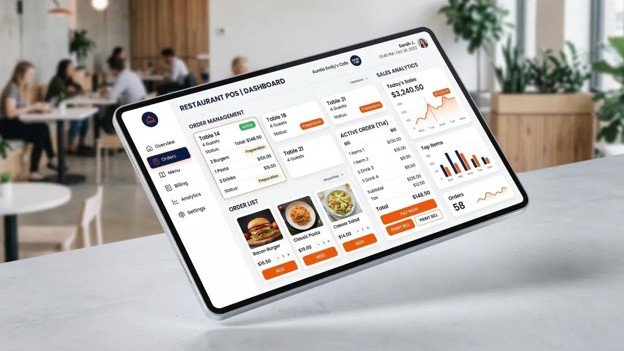
NexOrdr is a restaurant technology platform designed to help restaurants, cloud kitchens, and food businesses manage their digital ordering and operations.Instead of managing multiple disconnected tools, businesses can use a connected platform for customer ordering and restaurant operations.
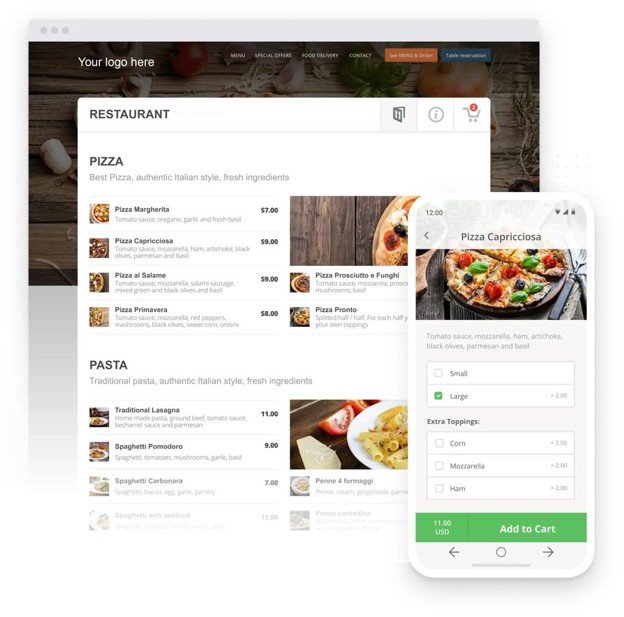
Online Ordering Website
Create a branded ordering presence where customers can browse menus and place orders directly.
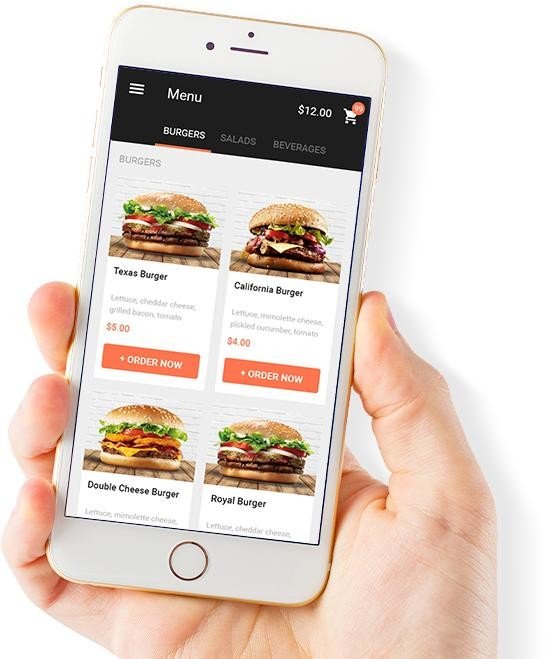
Customer Mobile App
Give customers a convenient way to access menus, place orders, and engage with the restaurant.
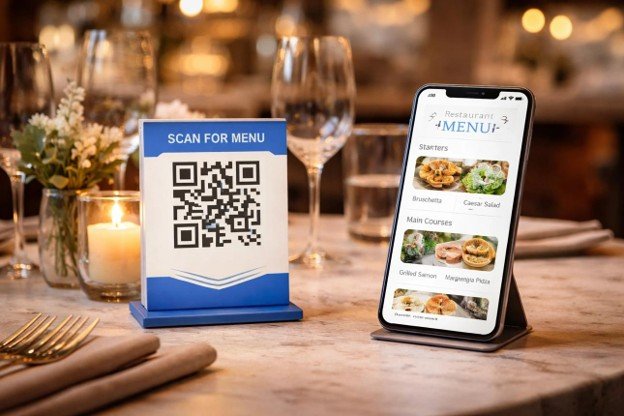
QR Ordering and POS
Support dine-in ordering and connect digital orders with restaurant operations.
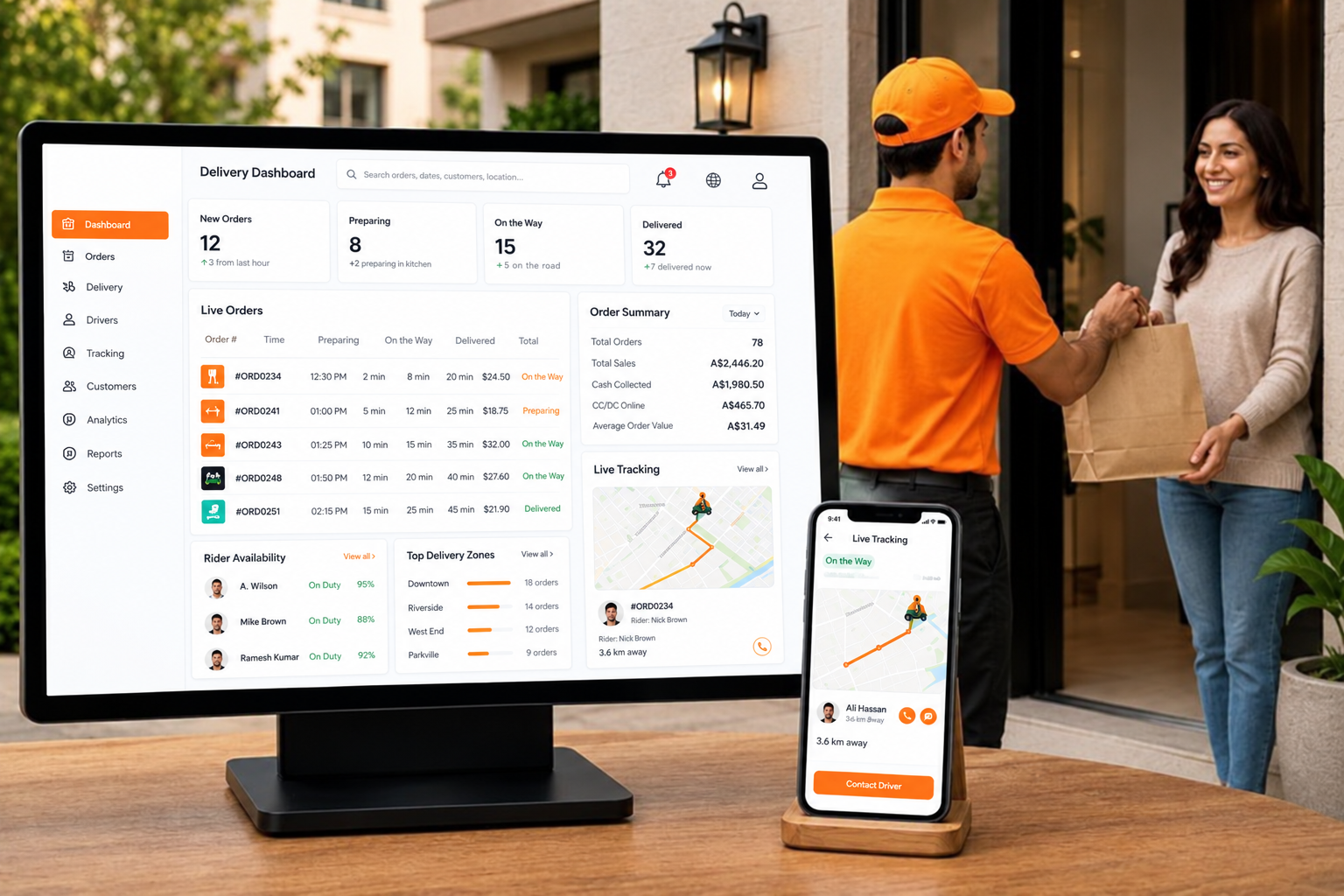
Delivery and Order Management
Manage restaurant orders and connect supported third-party delivery services through available integrations.Whether you operate a single restaurant, a cloud kitchen, or multiple restaurant locations, the objective is to build a convenient ordering experience and manage your operations through a connected platform.
Explore the platform at
NexOrdr
Ready to Grow Your Restaurant's Direct Orders?
Build your restaurant's online ordering presence with a branded website, customer ordering tools, QR ordering, and restaurant management features.
Frequently Asked Questions
1. What is the best online ordering system for restaurants?
The right online ordering system depends on a restaurant's budget, menu complexity, delivery requirements, and business model. Look for a solution that supports branded ordering, menu management, payments, order management, and integrations relevant to your business.
2. How can restaurants increase direct online orders?
Restaurants can increase direct orders by building a mobile-friendly ordering website, optimizing their Google Business Profile, using QR codes, promoting their ordering links on social media, and encouraging repeat purchases through loyalty programs and relevant offers.
3. How can a restaurant accept orders without a third-party food delivery app?
A restaurant can accept orders through its own website, mobile app, or supported messaging and QR ordering channels. It can manage delivery using its own drivers or integrate with suitable delivery providers. Delivery availability and fees depend on the provider and location.
4. Is a restaurant website necessary for online ordering?
A dedicated website is not the only way to accept online orders, but it provides a branded destination for customers and gives restaurants greater control over their ordering experience. It can also be linked from Google, social media, and other marketing channels.
5. How does a restaurant online ordering system help increase repeat orders?
An ordering system can support customer accounts, order history, loyalty rewards, and marketing integrations. These features can make reordering easier and help restaurants communicate relevant offers to customers who have opted in.
6. Can small restaurants and cloud kitchens use an online ordering system?
Yes. Small restaurants and cloud kitchens can use online ordering platforms to display their menus, accept orders, manage payments, and coordinate delivery. The appropriate solution depends on order volume, staffing, budget, and operational needs.